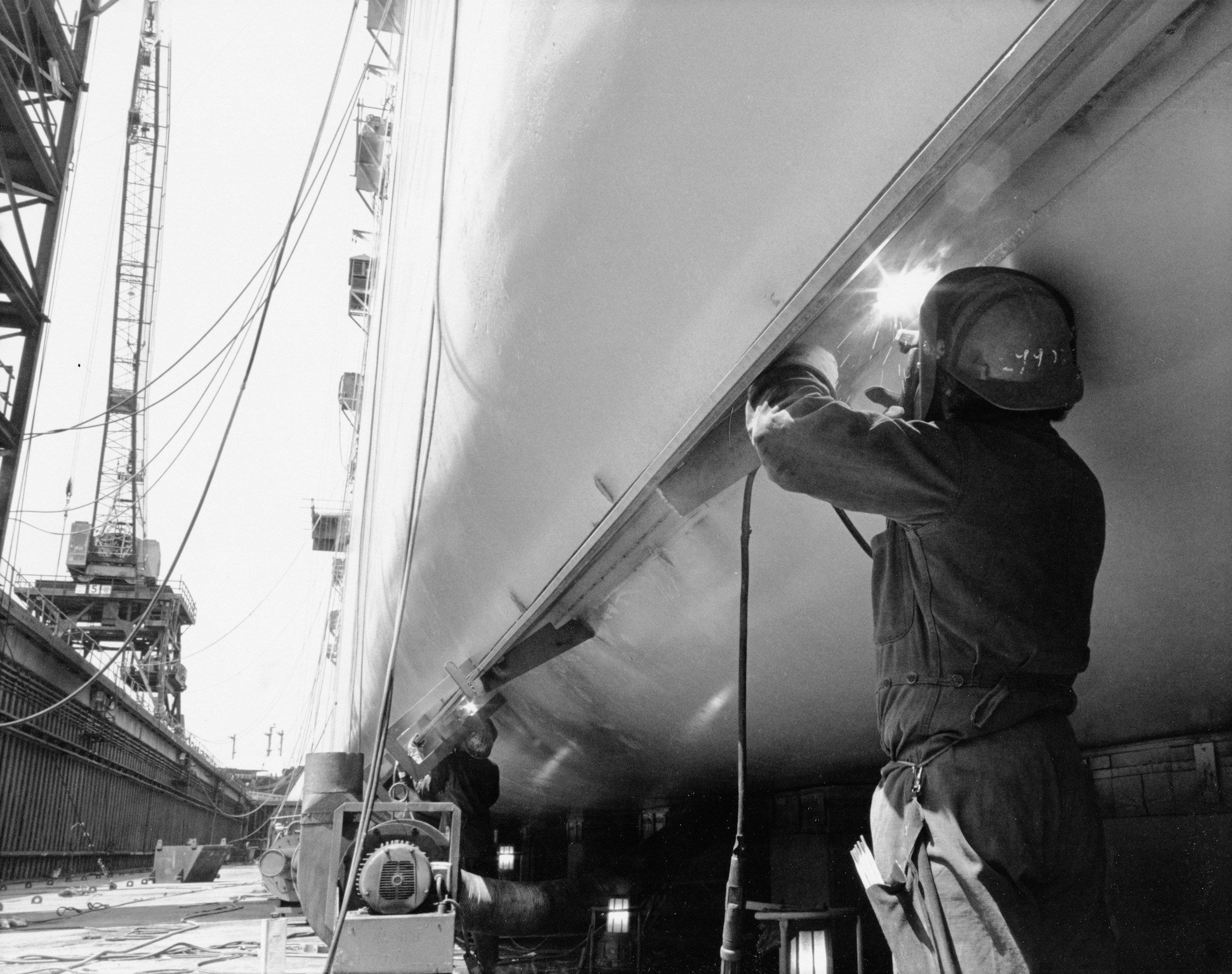
A welder working on the hull of a ship in dry dock

Results Case study · Custom ERP · Shipbuilding · Kerala, India

A shipyard, one system. Design, production, purchase and finance in a single browser.

Viraat Marine Shipyard builds and repairs vessels in Kerala. In forty-five days of summer 2026 we built them an ERP that runs the yard from the first enquiry to vessel delivery — live today at erp.viraatmarine.com, on desks in the office and on phones at the slipway.

Viraat Marine ERP is a custom enterprise system TechAuditPros built for Viraat Marine Shipyard Pvt Ltd between 20 July and 2 September 2026. It replaces separate tools and paper with one browser-based system of 19 role desks — director, design, naval architecture, production, purchase, accounts, marketing, members and attendance — on 38 database tables, with a live activity stream, realtime updates on every open screen, a sign-in gate on every desk and a phone layout for the yard. It is live at erp.viraatmarine.com and is being prepared to run on the shipyard’s own office computer with no internet connection.

01The brief

What a shipyard has to keep straight, and what the director asked for.

A vessel is a long project made of short ones. Drawings go out for review and come back with comments. Steel, paint and electrodes are requested from the slipway and approved by people who are not standing on it. Crews are counted every morning, paid every month. Invoices follow milestones. Somewhere a director needs to see all of it on one screen without phoning six people.

The brief we were given was short. One system for design, production, purchase, finance and people. Usable on a phone at the yard, not just at a desk. Nothing ever deleted, everything traceable to who did it and when. Live data only — no demo numbers, no green tick before the database says so. And, at the end, a system the yard owns outright and can run on its own machine.

We went to work on 20 July 2026. The first desk was deployed the same day.

Stacks of paper documents and file folders
A shelf of binders
A welding arc with sparks and blue smoke
A red-hulled ship standing in dry dock
02The system

One system, 19 desks. Each written for the person who sits at it.

Every desk is an isolated island with its own screens and its own modules, sharing one locked database connection. The hull below fills in the way the yard did: plate by plate, over six weeks.

Direction

  • Executive command: projects, workforce, interventions, approvals, the enquiry pipeline
  • Project tracker and construction overview across every vessel
  • Company directives, announcements, delayed activities, team efficiency
  • Final capital-expenditure clearance and leave sign-off

Design & engineering

  • Design head: drawing vault, review queue, team tasks
  • Senior naval architect and three naval architects, each with a review desk
  • Three draftsman desks: submit a drawing, follow its revision
  • Every drawing carries a revision history and its reviewer’s comments

Production

  • Production head: milestones, construction progress, team workload
  • Two supervisor desks for the slipway: daily site logs with photo evidence
  • Crew present today, computed from the logs, pushed to payroll
  • Material requests raised from the floor straight into the purchase chain

Purchase & finance

  • Purchase desk: requests, master inventory, live stock registry, vendors, delayed deliveries
  • Accounts desk: purchase clearances, invoice requests, generated invoices, budgets
  • Finance suite: profit and loss, project costing, OPEX and CAPEX
  • A ledger of every finance record, exportable to Excel

People & communication

  • Members & roles: roster, access roles, credentials issued by the director
  • Attendance control: daily clock-in, regularisation requests, monthly matrix
  • Leave requests with approval routing, birthdays and announcements
  • Live activity stream, notification centre, per-desk chat, and a client portal
03The screens

What it looks like at 9 a.m. on the executive desk.

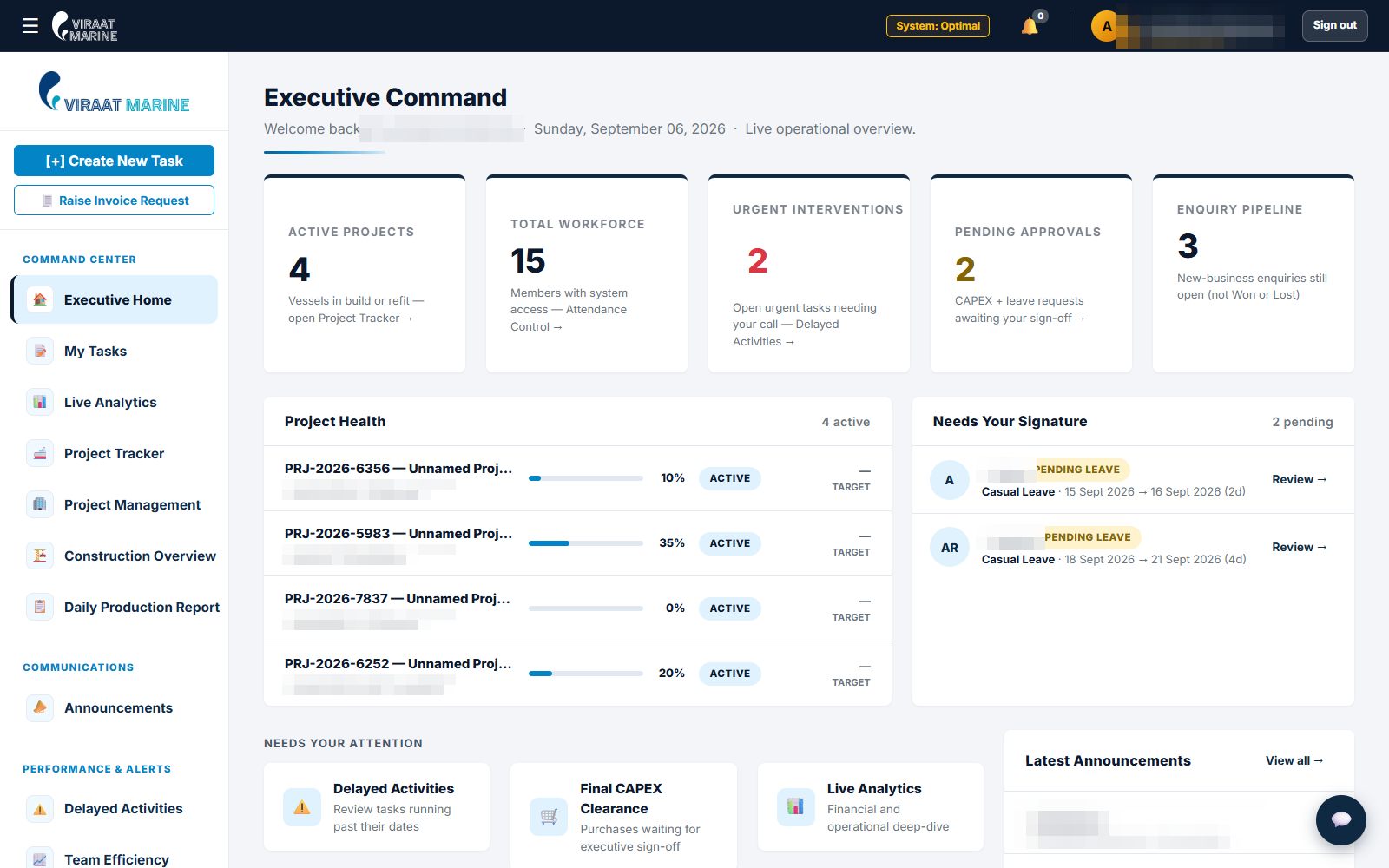
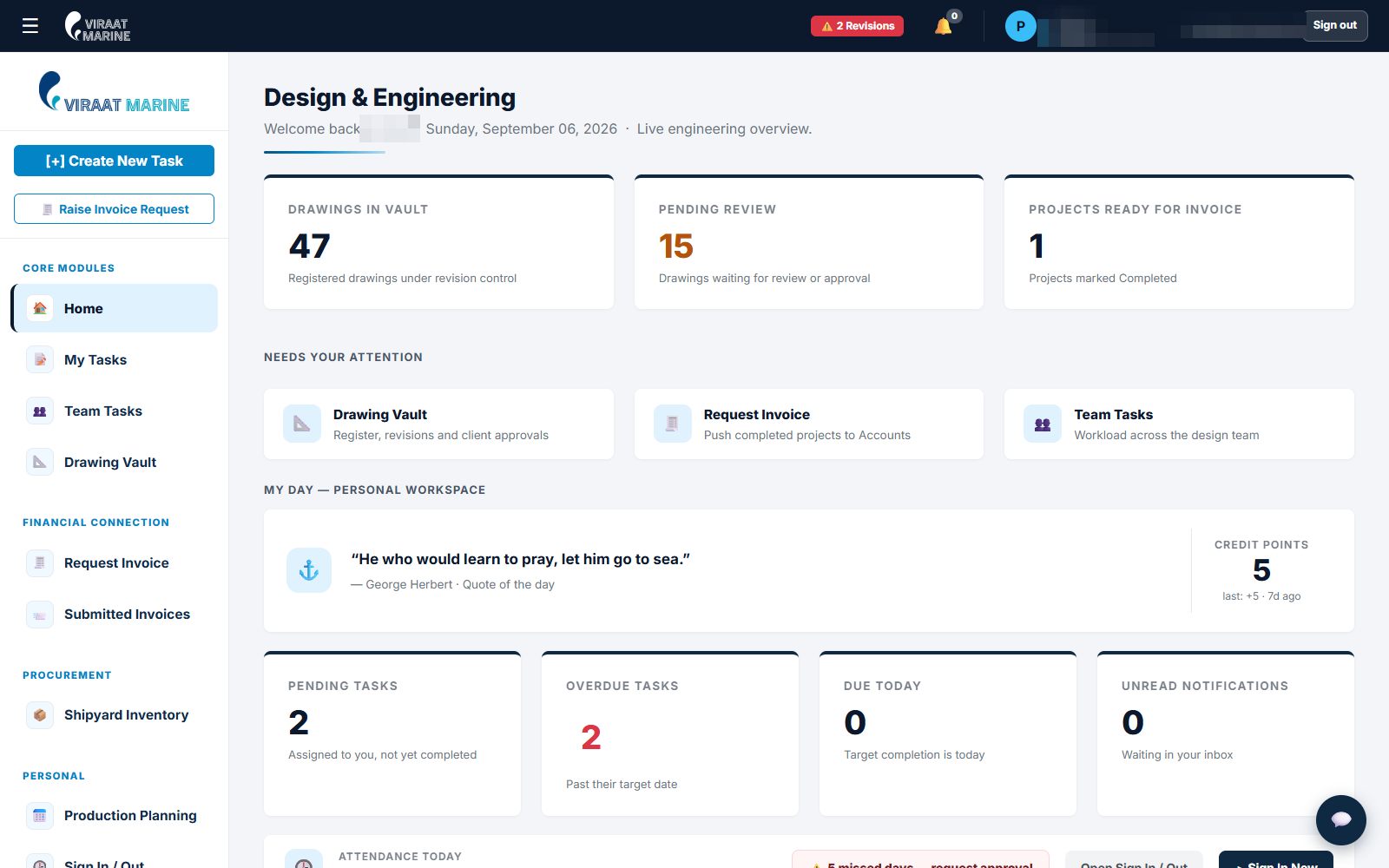
Real screens from the live system, captured on 6 September 2026. Names, counterparties and amounts are redacted; the layout, the numbers of drawings and the approval queues are as they were.

erp.viraatmarine.com/director
The director desk of the Viraat Marine ERP: project health, approvals awaiting signature, announcements
erp.viraatmarine.com/design
The design head desk: drawings in the vault, pending review, projects ready for invoice
erp.viraatmarine.com/design
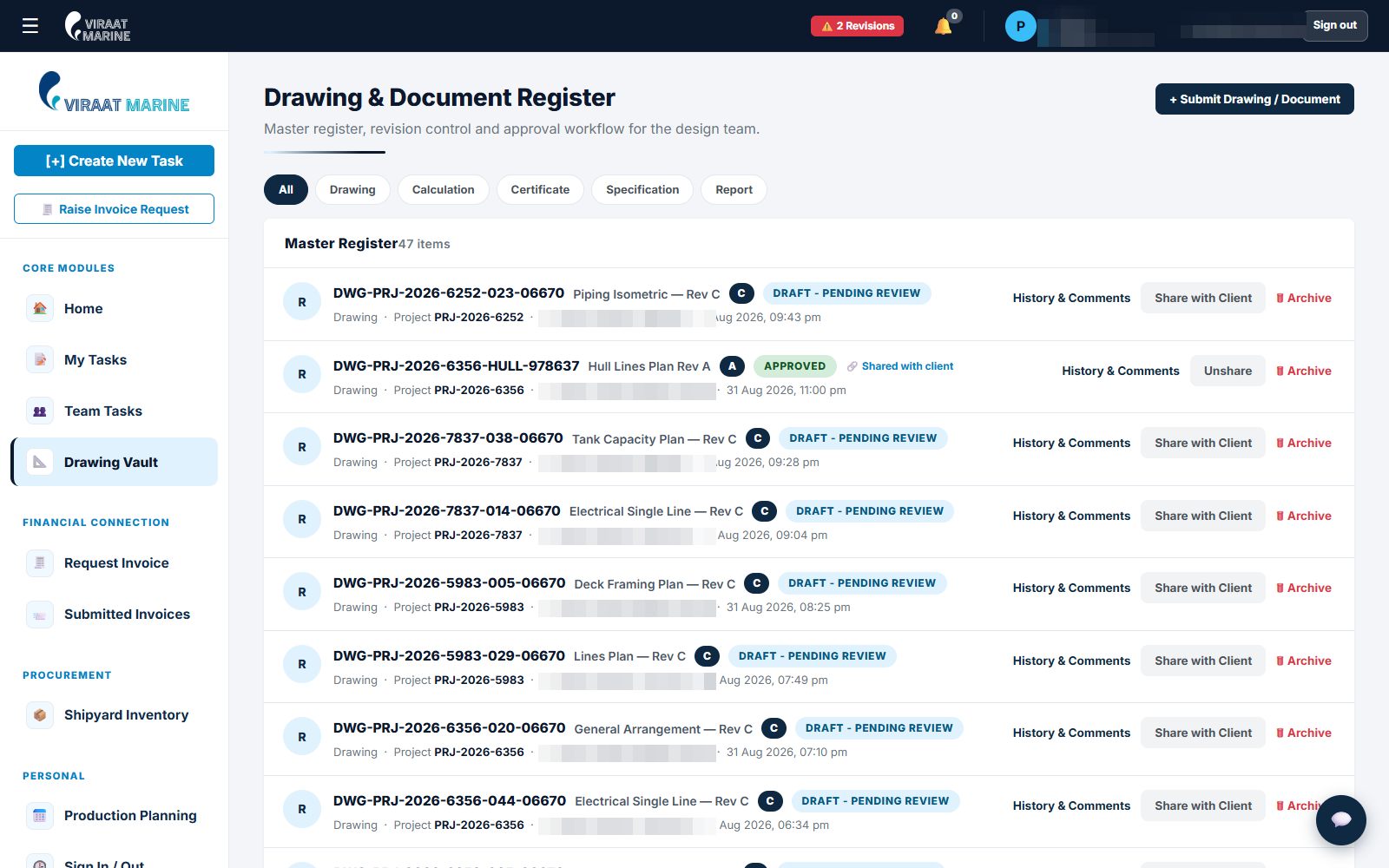
The drawing and document register: 47 items under revision control, each with its review status and history
erp.viraatmarine.com/purchase
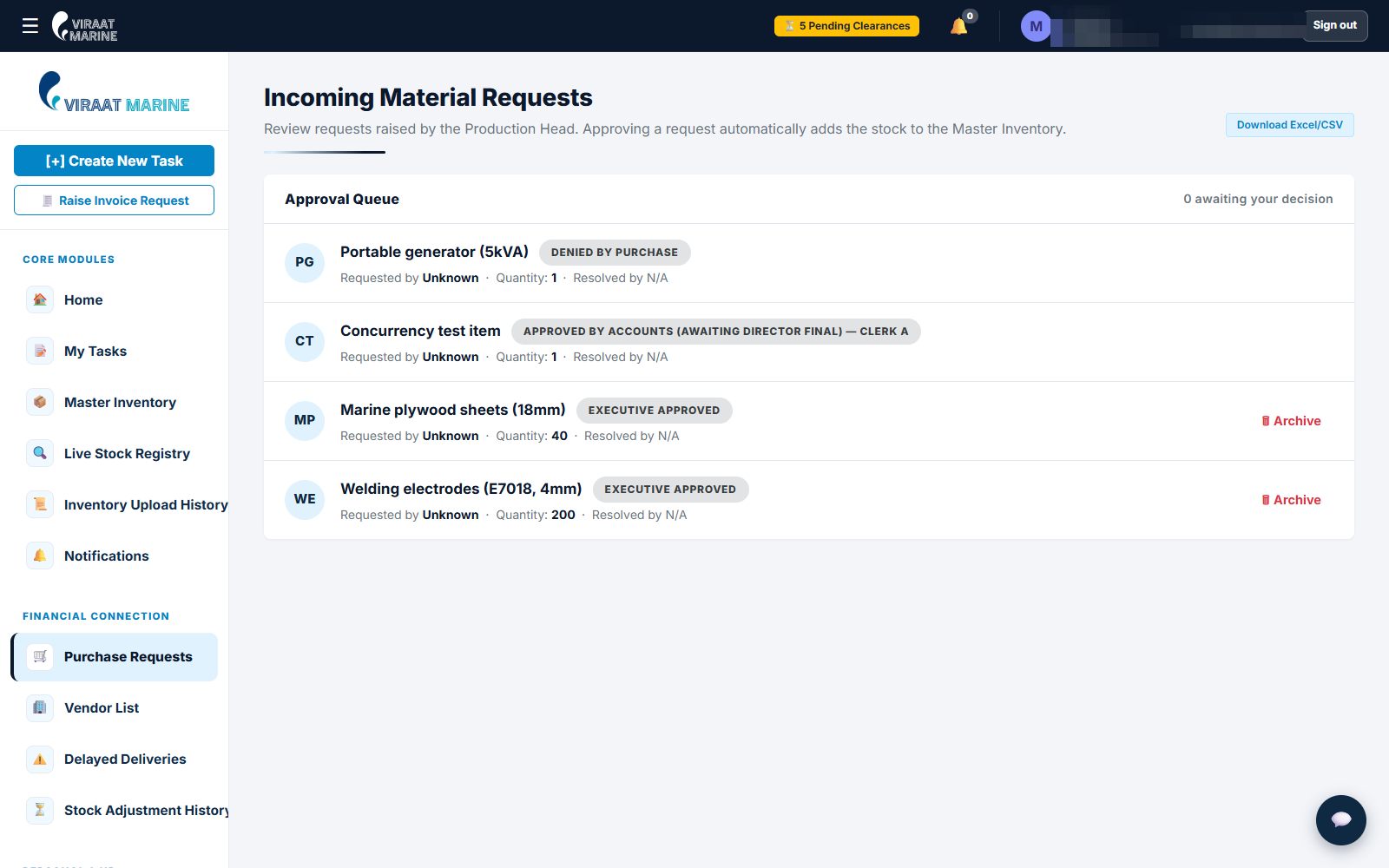
The purchase desk: incoming material requests and where each one sits in the approval chain
erp.viraatmarine.com/live-status
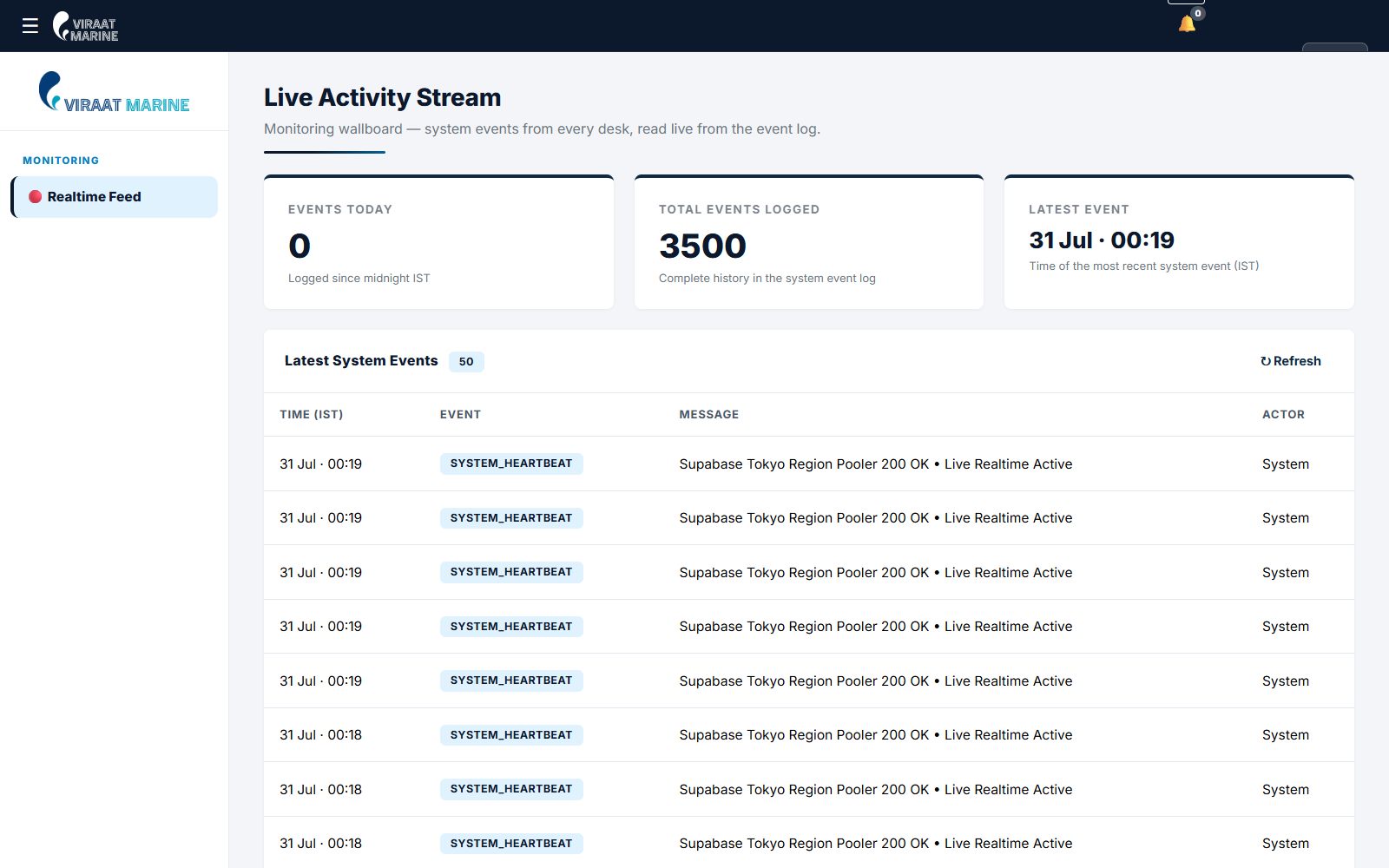
The live activity stream: every system event from every desk, read live from the event log
erp.viraatmarine.com/attendance
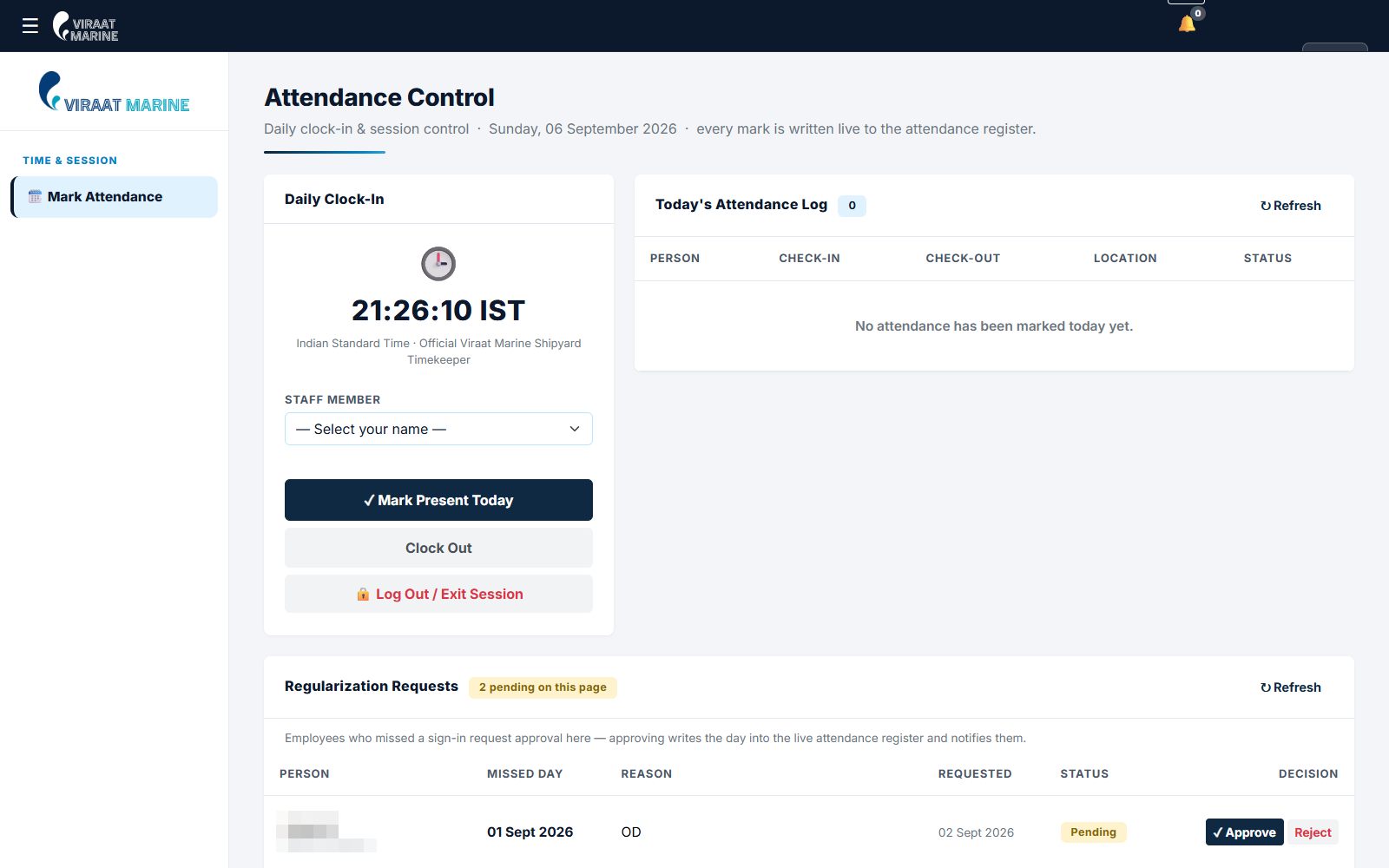
Attendance control: the daily clock-in and the regularisation queue
erp.viraatmarine.com/akash
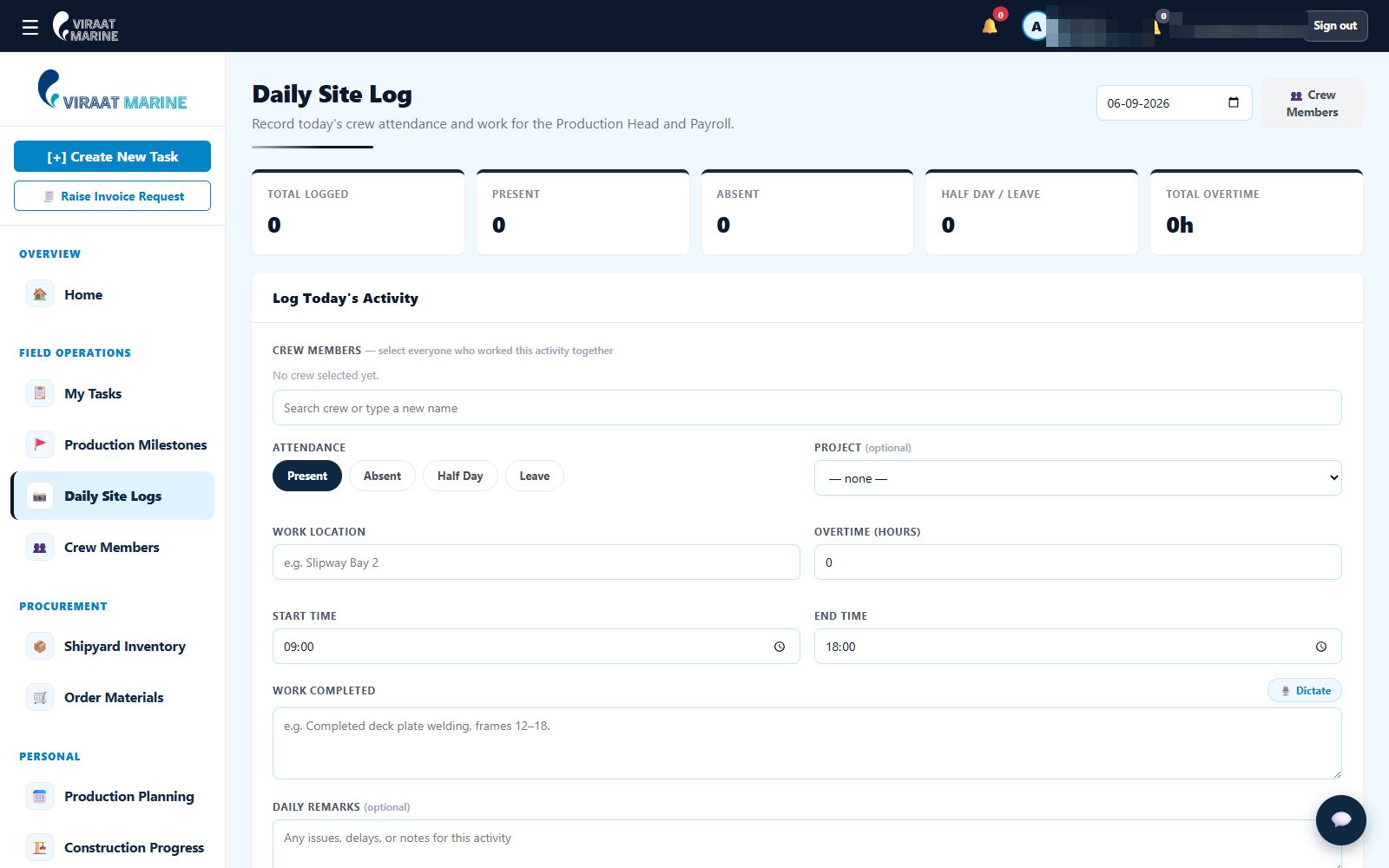
A yard supervisor desk: the daily site log for crew attendance and work done, pushed to payroll

47 drawings under revision control on the day of capture. Six of the 19 desks shown; the sign-in page is public, the desks are not.

04One request

How a bag of welding electrodes travels through the system.

The purchase chain is the pattern the whole ERP is built on: a request moves through numbered steps, each step confirmed by the database before the next person sees it.

  1. 01

    Slipway

    A supervisor raises a material request from the yard desk — on a phone, standing next to the job.

  2. 02

    Purchase

    The purchase manager sees it in the queue, checks stock and vendors, approves or flags it. Step three of five.

  3. 03

    Accounts

    Finance clearance: budget line, invoice terms. Step four. Nothing moves without a returned database row.

  4. 04

    Director

    Final capital-expenditure clearance on the executive desk. Step five. The whole chain is visible from here.

  5. 05

    Everyone

    The requester is notified, the stock registry updates, and the event lands in the live activity stream.

Drawings follow the same shape: a draftsman submits, the design head reviews and comments, a revision is recorded, an approved drawing can be shared with the client through the portal. Leave requests, invoice requests and enquiries each have their own chain. None of them can skip a step.

A cargo ship at a lit dock at night
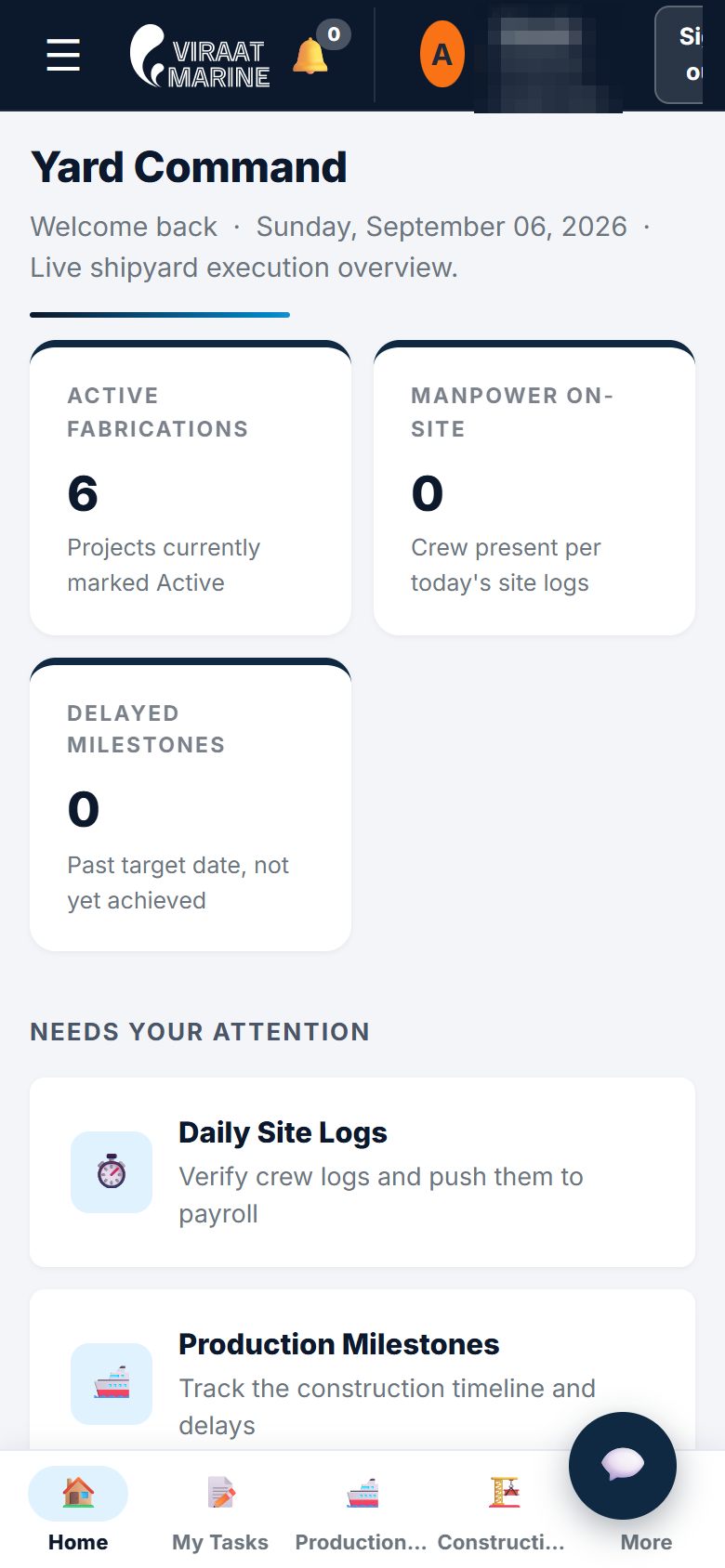
The production desk on a phone: active fabrications, manpower on site, delayed milestones, a bottom app bar
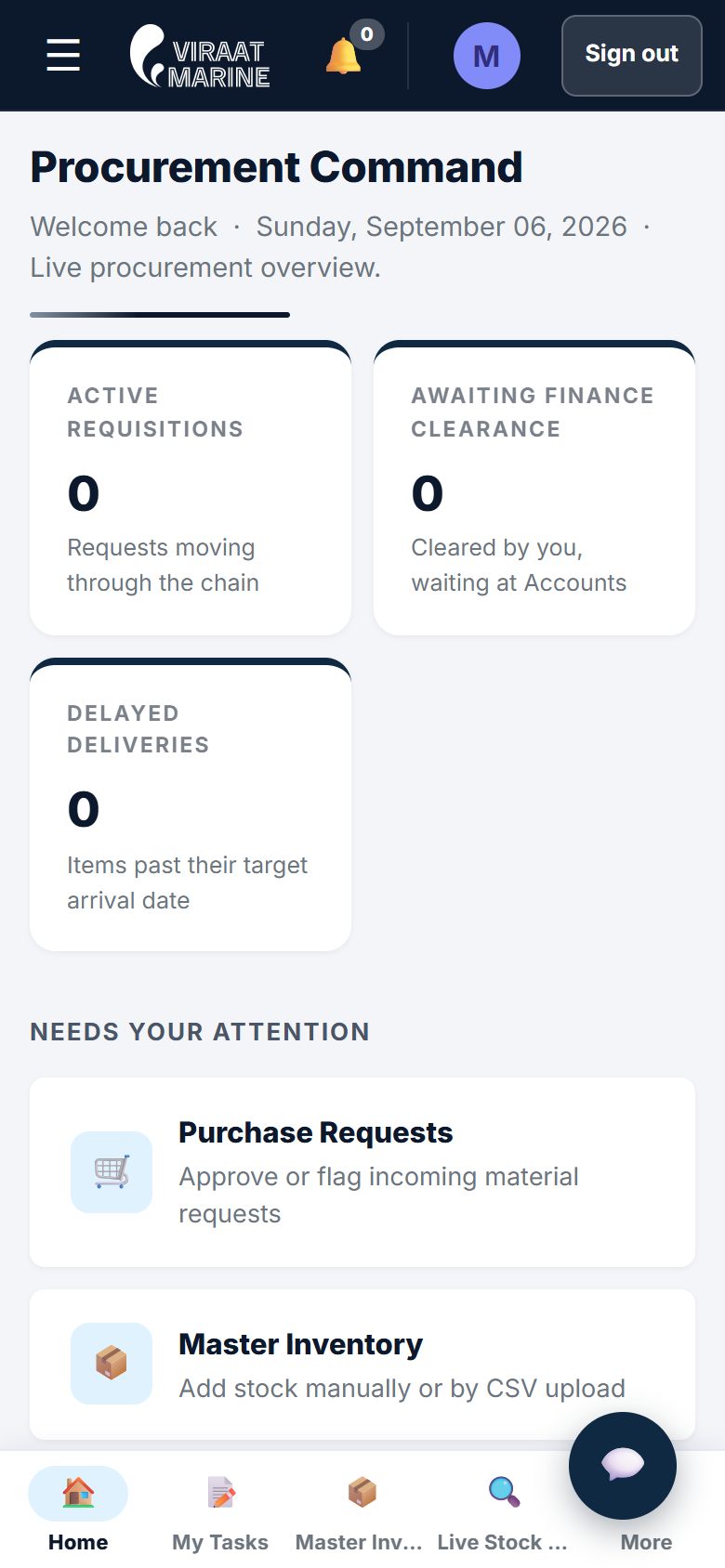
The purchase desk on a phone: requisitions, finance clearance, delayed deliveries
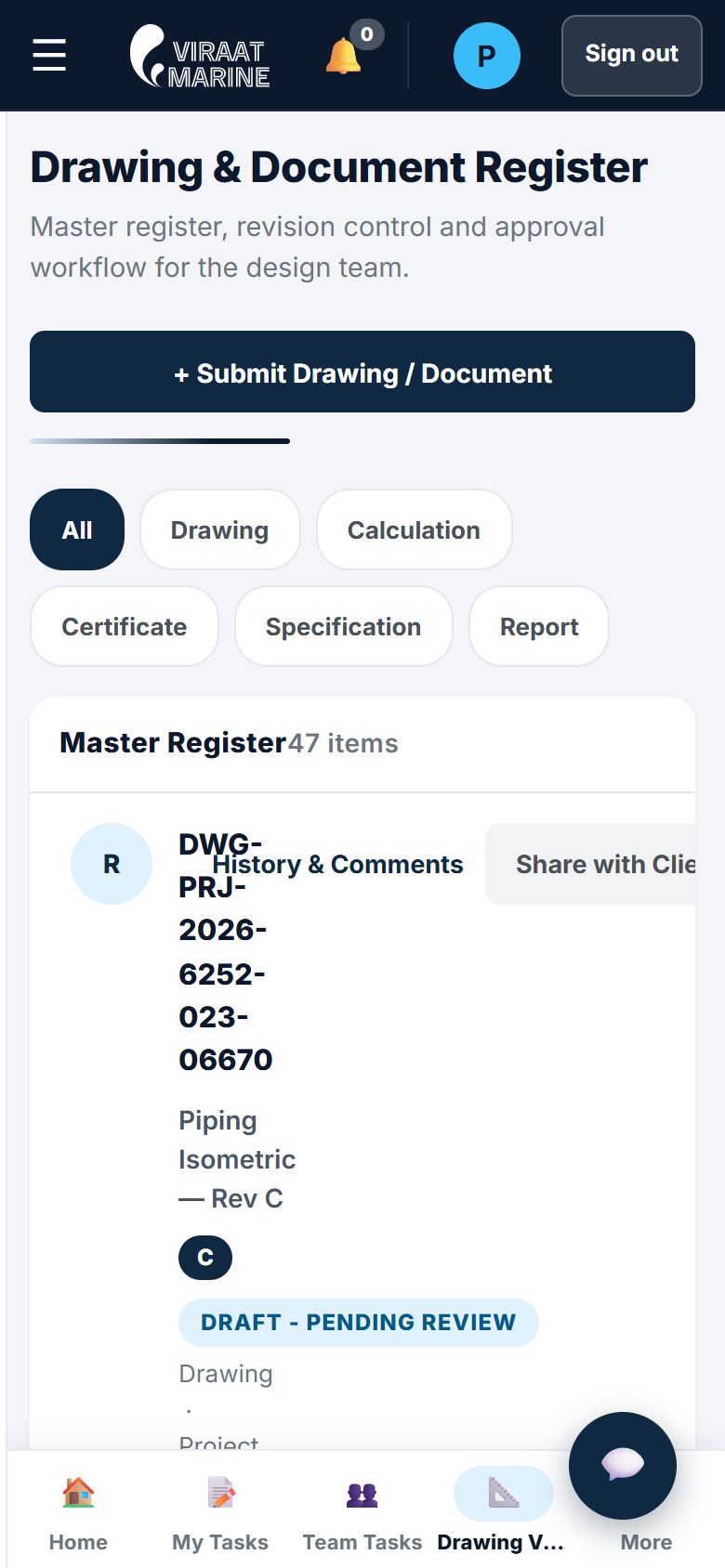
The drawing register on a phone: filters and the first register entry
05The floor

Built for the slipway, not the boardroom.

Below 768 pixels every desk becomes an app: a bottom bar with the four things that role does most, tables that turn into stacked cards, a chat button that stays under the thumb. A supervisor logs the crew, photographs the day’s welding and raises a material request without leaving the yard. Photos are compressed on the phone before upload so a bad signal at the water’s edge still gets the evidence through.

The same principle runs the other way. Nothing on any screen, desk or phone, is shown as done until the database has said so. That is what makes it safe to work from the slipway.

06The engineering

Why the numbers on these screens can be trusted.

An ERP is only useful if the people using it believe it. These six rules are enforced in code and at the database, not in a policy document.

A worker grinding steel in the dark, sparks flying
  1. 01

    No fake green

    Every insert and update is chained to a read-back. A save only shows as saved when the database returns the row. An empty response is treated as a failure, not a success.

  2. 02

    Red, not silent

    A failing query raises a red banner with a copyable report of exactly what was attempted. Nothing fails quietly; the owner can paste the report to us and the fix is one message away.

  3. 03

    Nothing deleted

    Records are archived, never destroyed. Deletion is blocked at the database itself by a trigger, so no screen, script or mistake can remove history.

  4. 04

    One event log

    Every desk writes to the same activity stream. At the time of writing it holds 3,500+ events, re-audited on a thirty-second cycle so a missed write is caught, not lost.

  5. 05

    Live, always

    Realtime channels push changes to every open tab — one channel per tab, fanned out internally, so the director and the slipway see the same row at the same second.

  6. 06

    Locked doors

    A sign-in gate in front of every desk, role rules per desk, sessions that expire after 24 hours of inactivity, and credentials issued personally by the director from the members desk.

07Forty-five days

From the first commit to a system the yard runs on.

424 commits between 20 July and 2 September 2026, read from the repository. The yard used each desk as it went live; there was no single launch day to be afraid of.

  1. First commit

    Portal, director desk and the first operations views, deployed the same day.

  2. The foundations

    Roles and desks, the live event log with its 48-hour history and 30-second re-audit, the 40-member roster, the Kerala marine calendar.

  3. The islands

    A shared core library, then the isolated desks: four naval architects with drawing vaults, purchase inventory and material requests, production planning.

  4. Live data only

    Every mock and bypass removed; the accounts, purchase and design desks redesigned to one visual system.

  5. The hard parts

    Finance module, portfolio and construction engine, drawing revision control, the admin console, confirmable writes on every table, realtime everywhere.

  6. Handover round

    Sign-in and session lock on all 19 desks, notification indicators, archive controls, the phone app shell.

  7. Their own machine

    Self-hosting scaffold: the full database stack in Docker on one office PC, 38 tables and 21 files migrated, working with no internet.

08What the yard keeps

The code, the data, the hosting — and a machine of their own.

The repository, the database and the hosting accounts belong to Viraat Marine. The next step, already scaffolded and rehearsed on the owner’s machine, moves the whole system onto one office PC at the yard: the full database stack in Docker, every desk served over the office network, working with no internet at all, and a nightly backup as the safety net. In the rehearsal, 38 tables and 21 stored files came across intact.

That is the difference between a subscription and a system. If we disappeared tomorrow, the yard would still open the ERP on Monday morning.

Talk to us about your yard, plant or fleet All results →

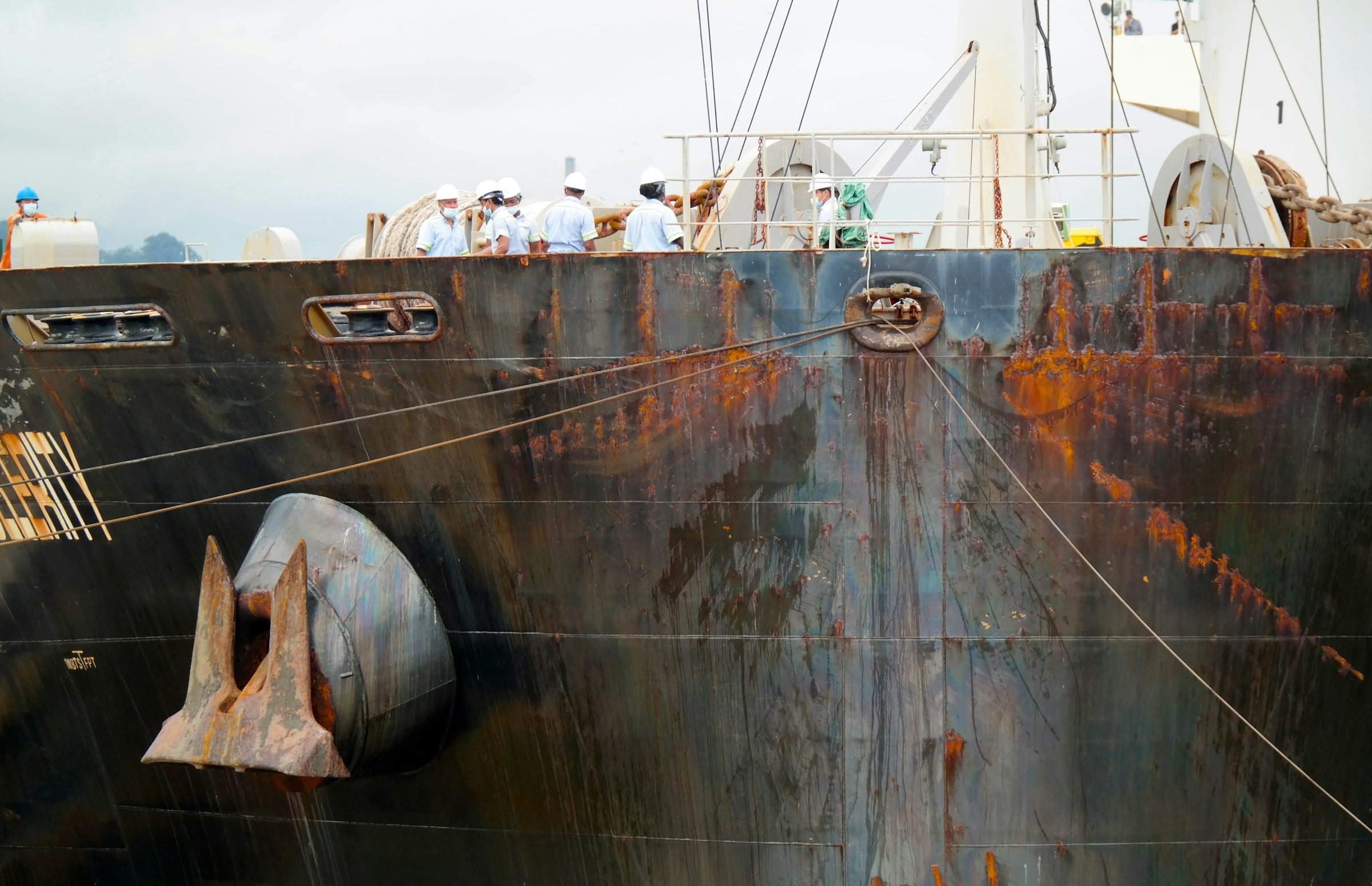
Weathered steel plates and an anchor on the side of a large ship
A calm river under an orange sky with industrial cranes

Kerala builds ships. Now one of its yards runs on a system built twenty kilometres from the slipway.

Questions about this case study

Ten straight answers, including the one about cost.

The sign-in page is public at erp.viraatmarine.com; the desks behind it are the yard’s live data, so they are not. Book a call and we will walk you through the real system on a screen share, with the client’s permission, and show you the parts that match your own business.

Forty-five days from first commit to handover round — 20 July to 2 September 2026, 424 commits — with the yard using desks as they went live rather than waiting for a single launch day. The self-hosting work that followed took one further day.

It is scoped on a call, because the honest number depends on how many desks, how many approval chains and how much data already exists. What we can promise in advance is a written plan for the first ninety days, a staging URL you can open every week, and one agreed monthly fee rather than a rate card with surprises.

No. It is hand-built for one shipyard: 19 desks written for the people who sit at them, 38 database tables shaped around vessels, drawings, purchase chains and site logs, and 80 isolated modules. Nothing was licensed from an ERP vendor and there is no per-user fee.

Plain HTML, CSS and JavaScript on the front end — no framework, each desk an isolated island — and a managed PostgreSQL database with realtime channels and file storage behind it, hosted on a global edge network. That choice is why it runs on a phone on the slipway and why the yard can self-host it later on a single office PC.

The client does. The repository, the database and the hosting accounts are theirs, and the handover package includes a self-hosting installer and runbook so the system can run on their own machine with no dependency on us or on any cloud subscription.

Yes. Below 768 pixels every desk switches to an app shell: a bottom bar with the four destinations that desk uses most, tables that become stacked cards, and a chat button that stays reachable with a thumb. Supervisors log the day and upload photo evidence from the yard.

Nothing on a screen is shown as saved until the database has returned the saved row; failures raise a red banner instead of a silent nothing; records are archived rather than deleted; and every desk writes to one live event log that is re-audited every thirty seconds.

Yes, and the pattern travels well beyond shipbuilding: any business with drawings or specifications, a purchase approval chain, work on a floor and accounts at the end has the same shape. We start by looking at one real workflow with you, free, and writing down what one system would replace.

The same team that built it keeps improving it on one agreed monthly fee: new desks, changed approval chains, reports, and the self-hosting migration when the client is ready. Every change ships to a staging copy first and is written up in a monthly report.

Want one system for your yard, plant or fleet? Let’s look at your workflow together.

Book a Free Strategy Call Takes 60 seconds · We reply with a written plan · No long-term contract
Email TechAuditPros
info@techauditpros.com
Send Email